AI Code Debugger
Stop decoding errors.
Start fixing them.
Your AI wrote the bugs. Now let our AI fix them. TrackJS's AI Debugger analyzes your complete error context—telemetry, browser data, and source code—to explain exactly what went wrong and how to fix it. No more hours lost to cryptic stack traces.

“With TrackJS, we're empowered to proactively resolve UI errors the moment they occur instead of passively waiting for customers to report issues.”

Loved by developers
















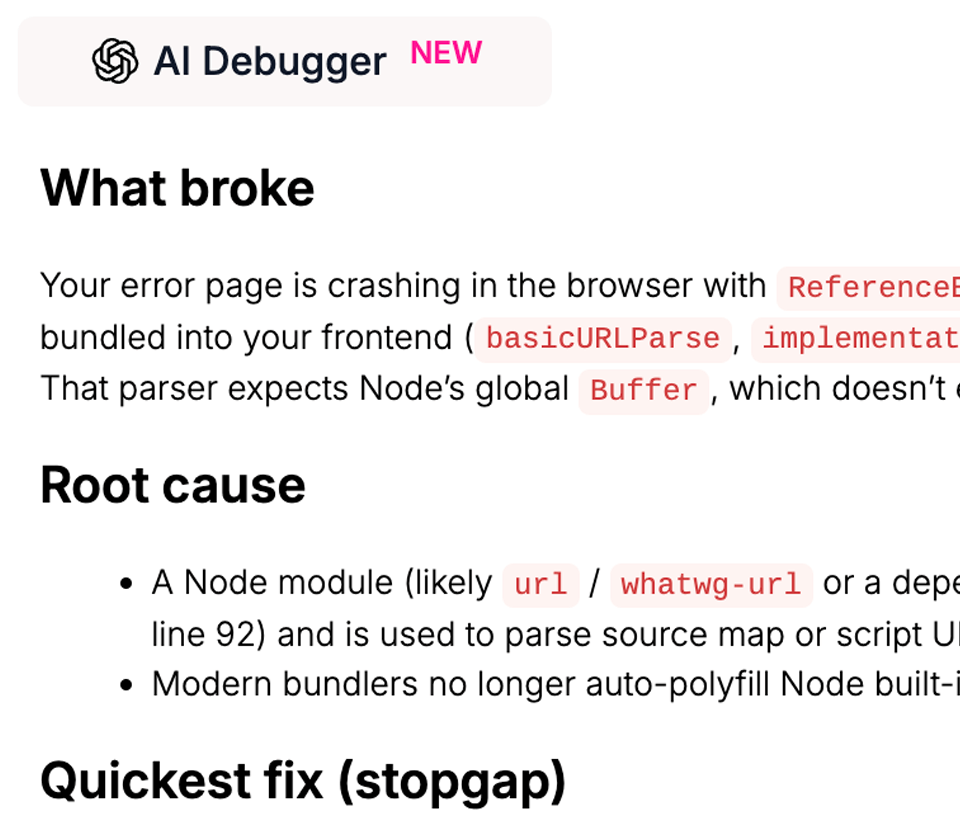
AI Code Debugger
Turn cryptic errors into actionable fixes
Stop wasting hours decoding stack traces. Our AI Debugger analyzes the error telemetry, browser data, and source code to explain exactly what went wrong and how to fix it. Get senior-level debugging insights for every error, including framework-specific quirks and browser edge cases.
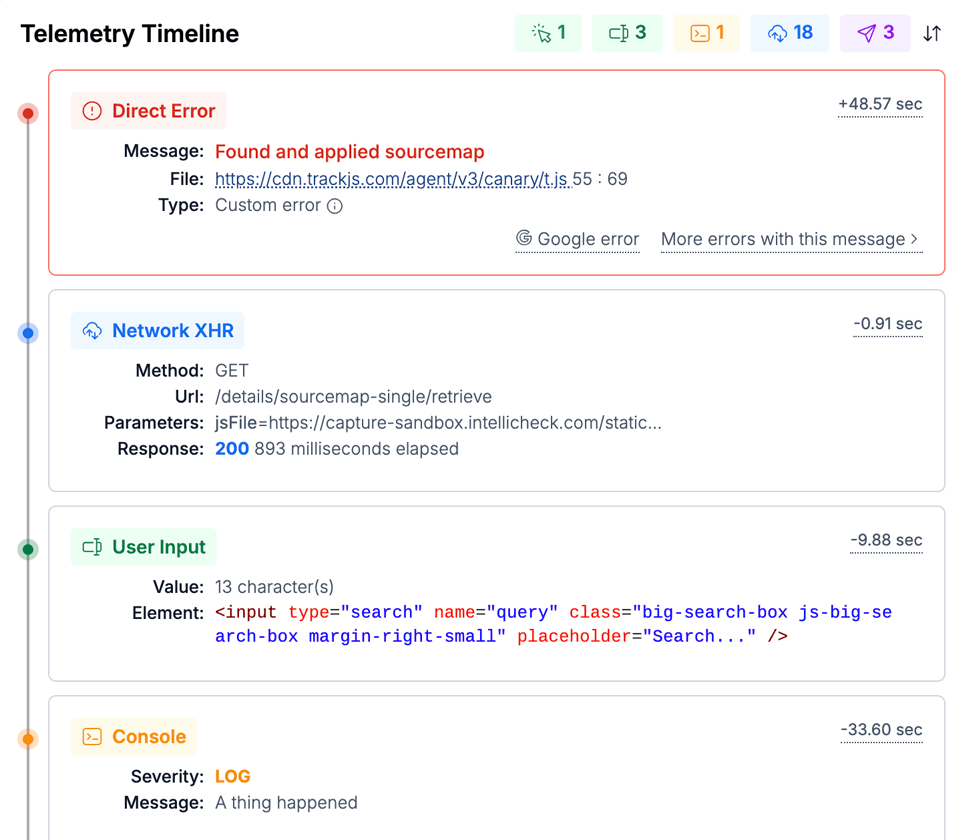
Telemetry Timeline
The full story behind every error
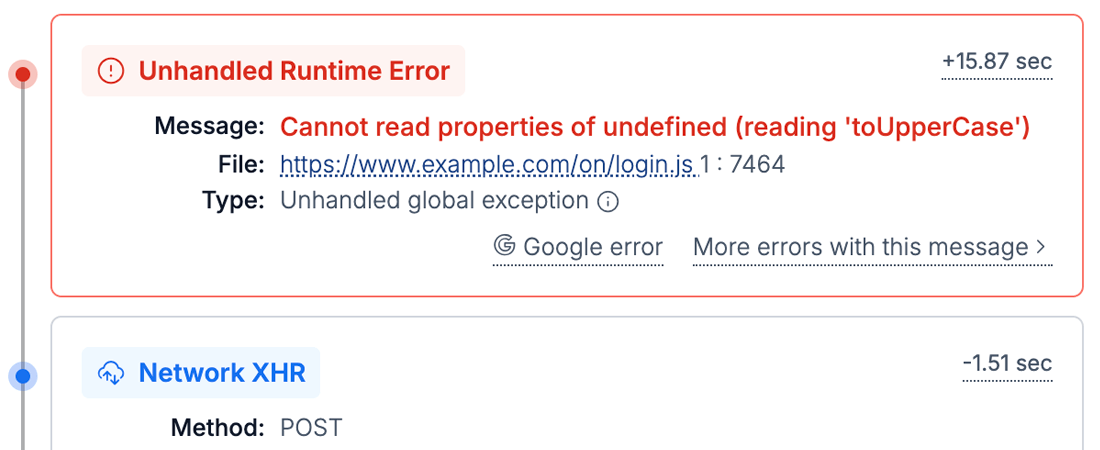
Understand exactly what happened before each error with a chronological timeline of network requests, user interactions, console logs, and navigation events. Quickly reproduce and resolve every issue without the performance overhead and cost of session replay tools.
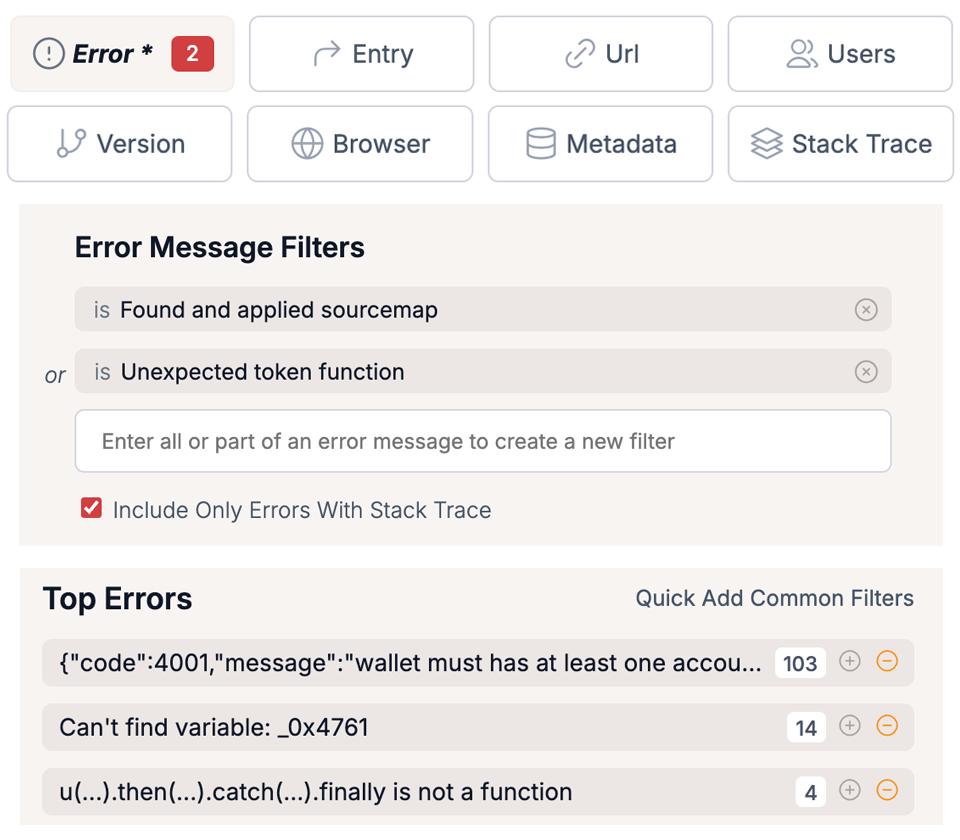
Discoverable Error Filters
Instant error filtering and searching to find issues fast
Zero in on what matters with intuitive filtering tools that require no query language to learn. Quickly identify patterns across users, browsers, and pages with automatically highlighted trends and one-click filtering. Make data-driven decisions about which errors deserve immediate attention without wasting time crafting queries.
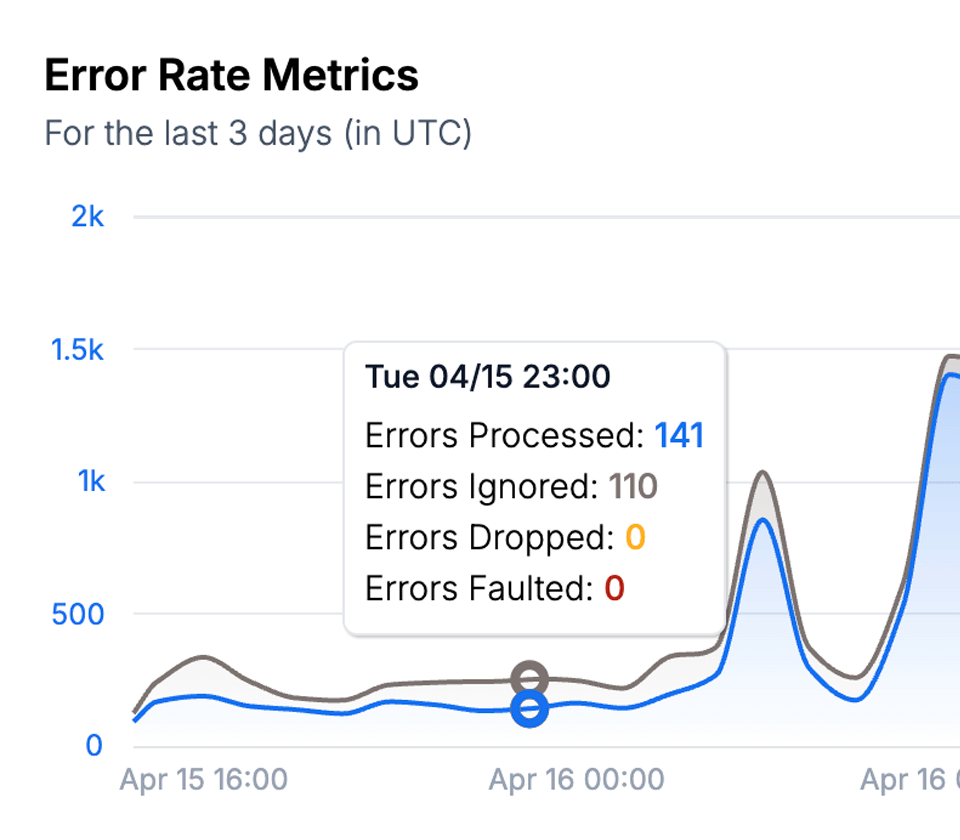
Unlimited Ignore Rules
Focus on the errors that really matter to users
Cut through the noise of third-parties and expected errors with powerful server-side ignore rules, unlimited with every plan. Create custom rules based on any error criteria to automatically filter out known issues, third-party glitches, or low-priority warnings. Keep your dashboard focused exclusively on actionable errors that impact your users.
Installation
Simple integration with your tools
Add TrackJS to your application in minutes, not days. Our lightweight JavaScript error monitoring works seamlessly with all modern frameworks and build tools, requiring minimal configuration to start capturing meaningful error data. Just choose your platform below to get started.
index.html
  <script
    src="https://cdn.trackjs.com/agent/v3/latest/t.js">
  </script>

  <script>
    TrackJS.install({ token: "your-account-token" });
  </script>
App.jsx
  import React, { Component } from "react";
  import { TrackJS } from "trackjs";

  class TrackJSErrorBoundary extends Component {
    componentDidCatch(error, errorInfo) {
      TrackJS.track({ error });
      this.setState({ error });
    }
  }

  TrackJS.install({ token: "your-account-token" });

  const App = () => {
    return (
      <TrackJSErrorBoundary>
        <...>
      </TrackJSErrorBoundary>
    )
  }
app.module.ts
  import { ErrorHandler, Injectable } from "@angular/core";
  import { TrackJS } from "trackjs";
  import { AppComponent }  from "./app.component";

  TrackJS.install({ token: "your-account-token" });

  @Injectable()
  class TrackJSErrorHandler implements ErrorHandler {
    handleError(error:any) {
      TrackJS.track(error.originalError || error);
    }
  }

  @NgModule({
    declations: [AppComponent],
    bootstrap: [AppComponent],
    providers: [{ provide: ErrorHandler, useClass: TrackJSErrorHandler }]
  })
express.js
  const express = require("express")
  const TrackJS = require("trackjs-node").TrackJS;

  TrackJS.install({ token: "your-account-token" });

  const app = express()
    .use(TrackJS.handlers.expressRequestHandler())
    .use(...)
    .use(TrackJS.handlers.expressErrorHandler({ next: false }));
    .listen(3000);
pages/app.tsx
  import App from "next/app";
  import { TrackJS } from "trackjs-nextjs";

  TrackJS.install({ token: "your-account-token" });

  export default App;

  // NextJS requires a few changes. Check out the docs at
  // https://docs.trackjs.com/browser-agent/integrations/nextjs15/
Start your free trial
TrackJS pricing aligns with your success–not your problems. Save thousands of developer hours debugging and grow your business. We've got your back.